SideQuest

Stop Forgetting.
Start Sharing.

See a reel, recipe, or wishlist worth doing? Share it to SideQuest before Saves swallows it. Drop it in a bucket, get a nudge, and actually do it.

  1. Share from any app
  2. Organize in buckets
  3. Remind then finish it

A look inside SideQuest

From save to Board to done—screens from the app.
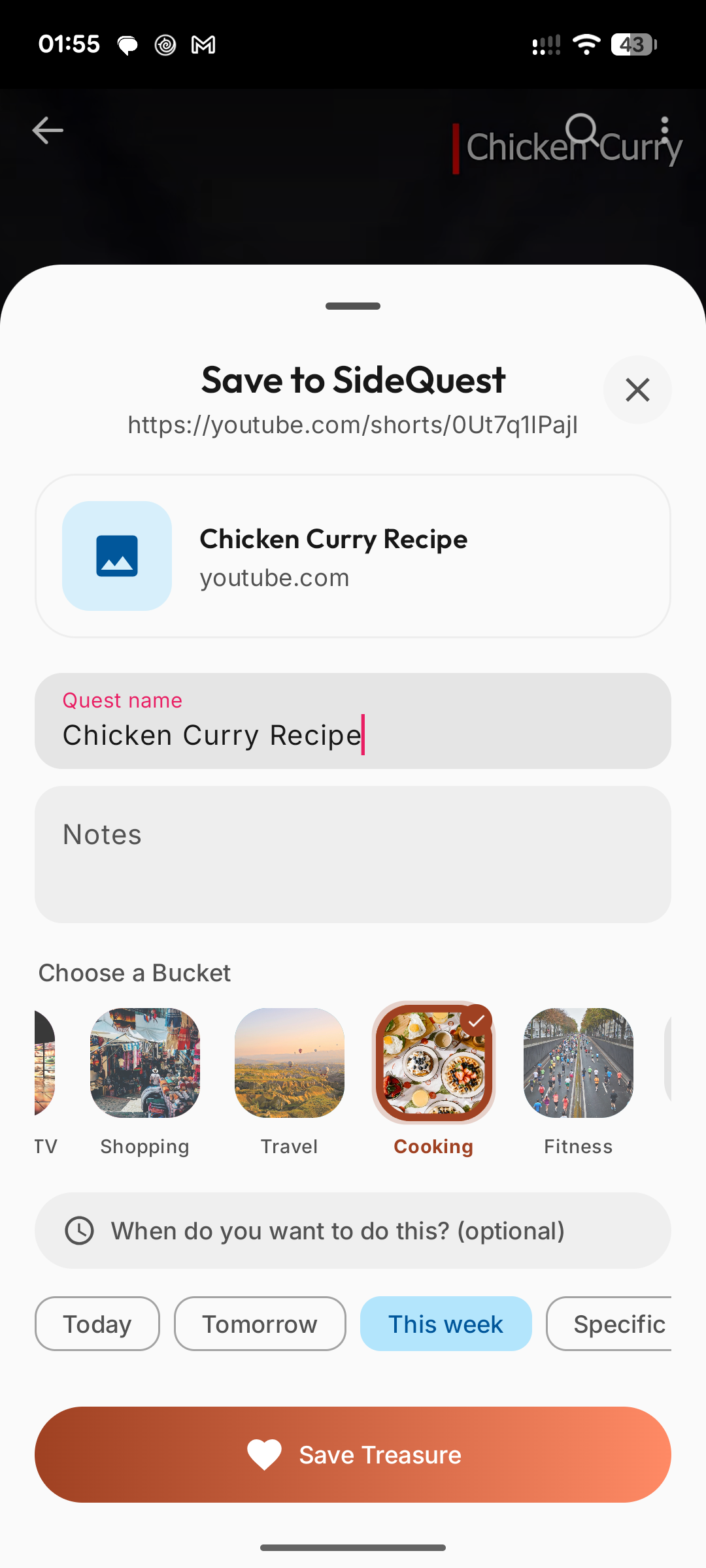
Save a shared link as a quest with bucket and timing
01 · Create a quest Name it, pick a bucket, set when
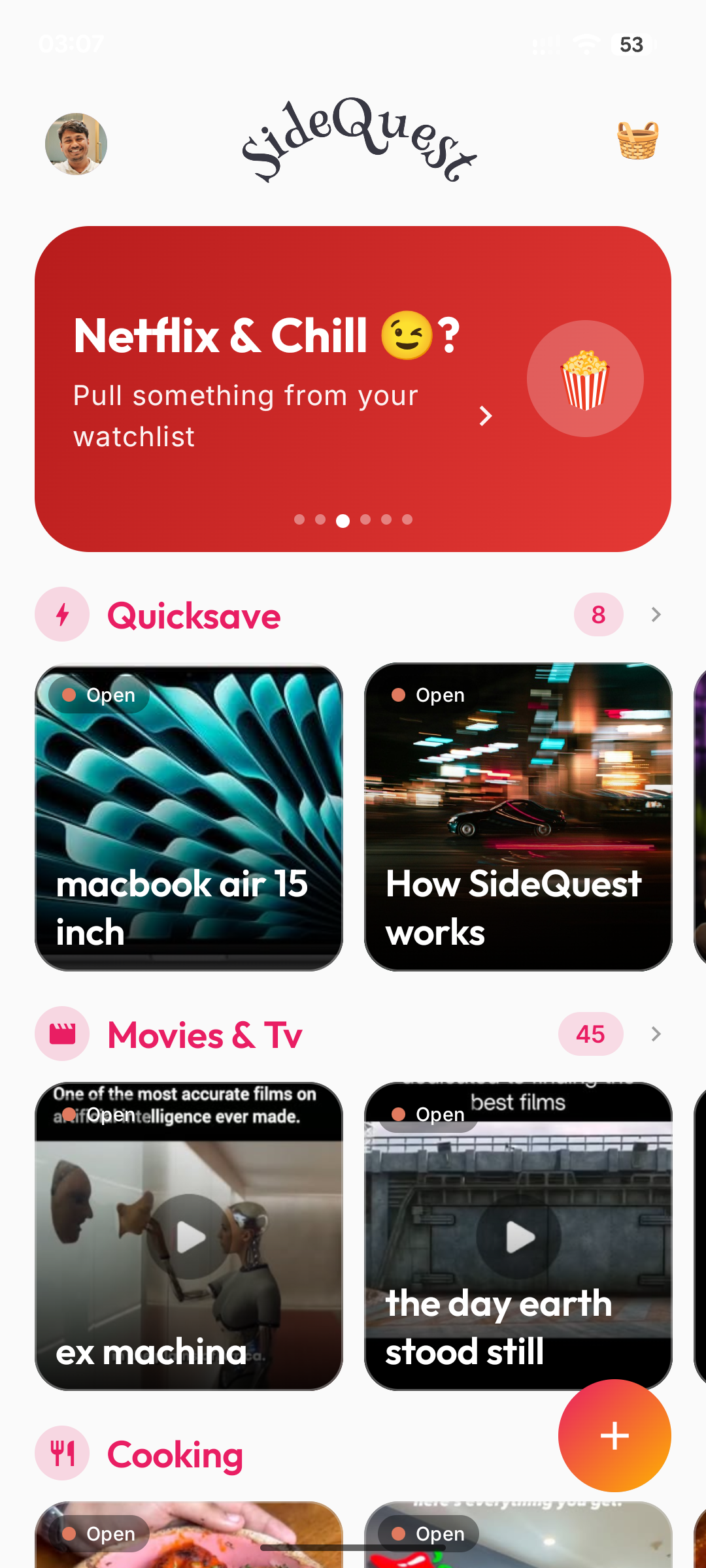
SideQuest Board with shelves of quests
02 · Board Your shelves of quests in one place
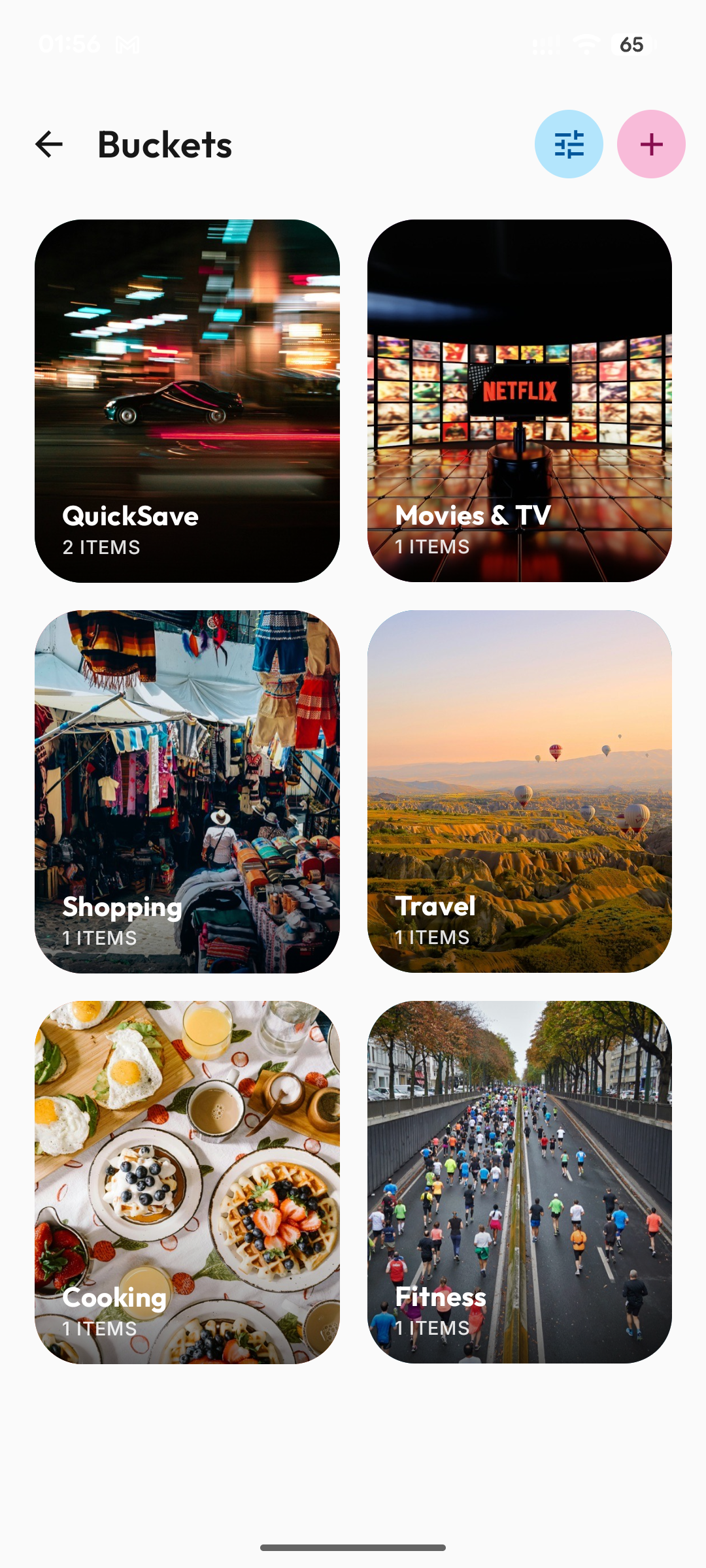
Buckets grid for organizing quests
03 · Buckets Travel, cooking, shopping—your way
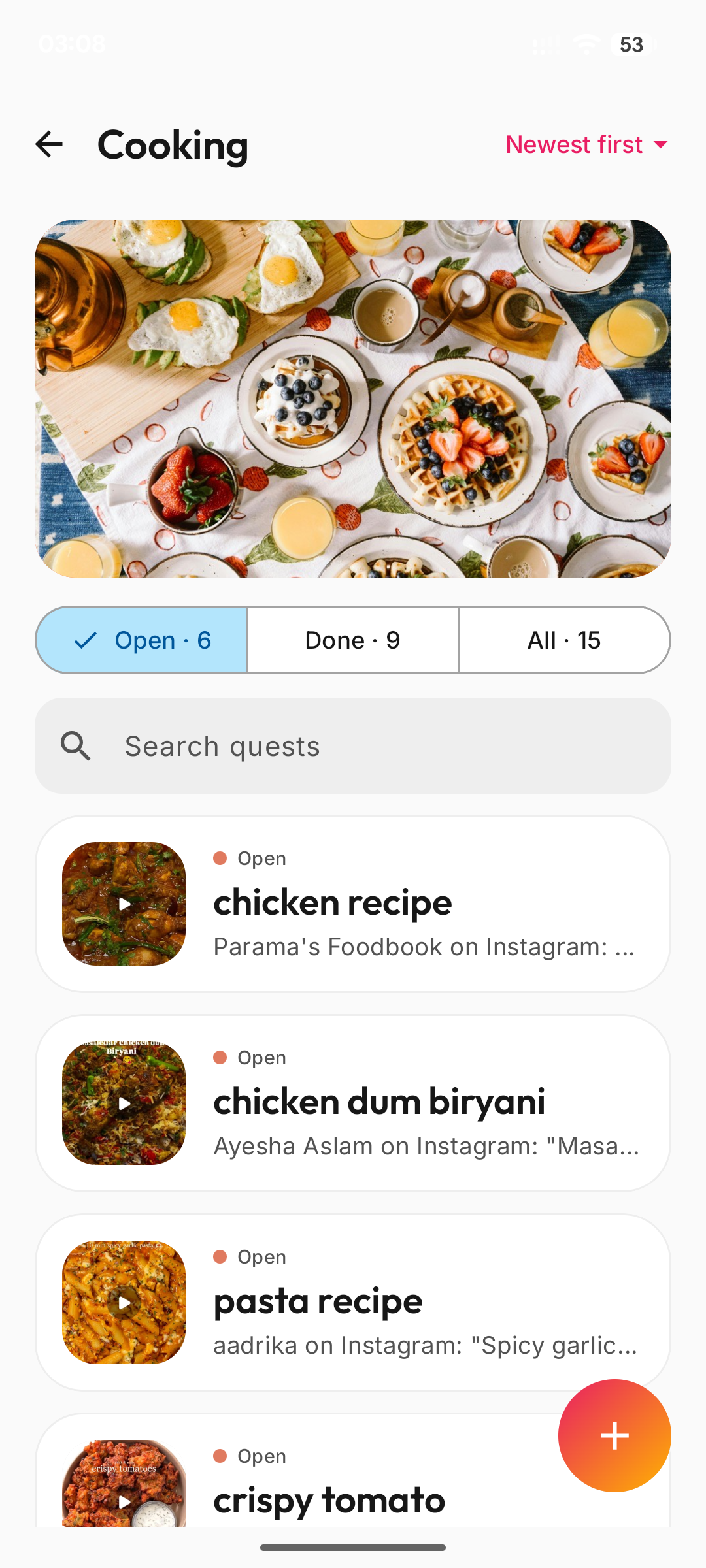
Cooking bucket with open and done quests
04 · Inside a bucket Check out your quests
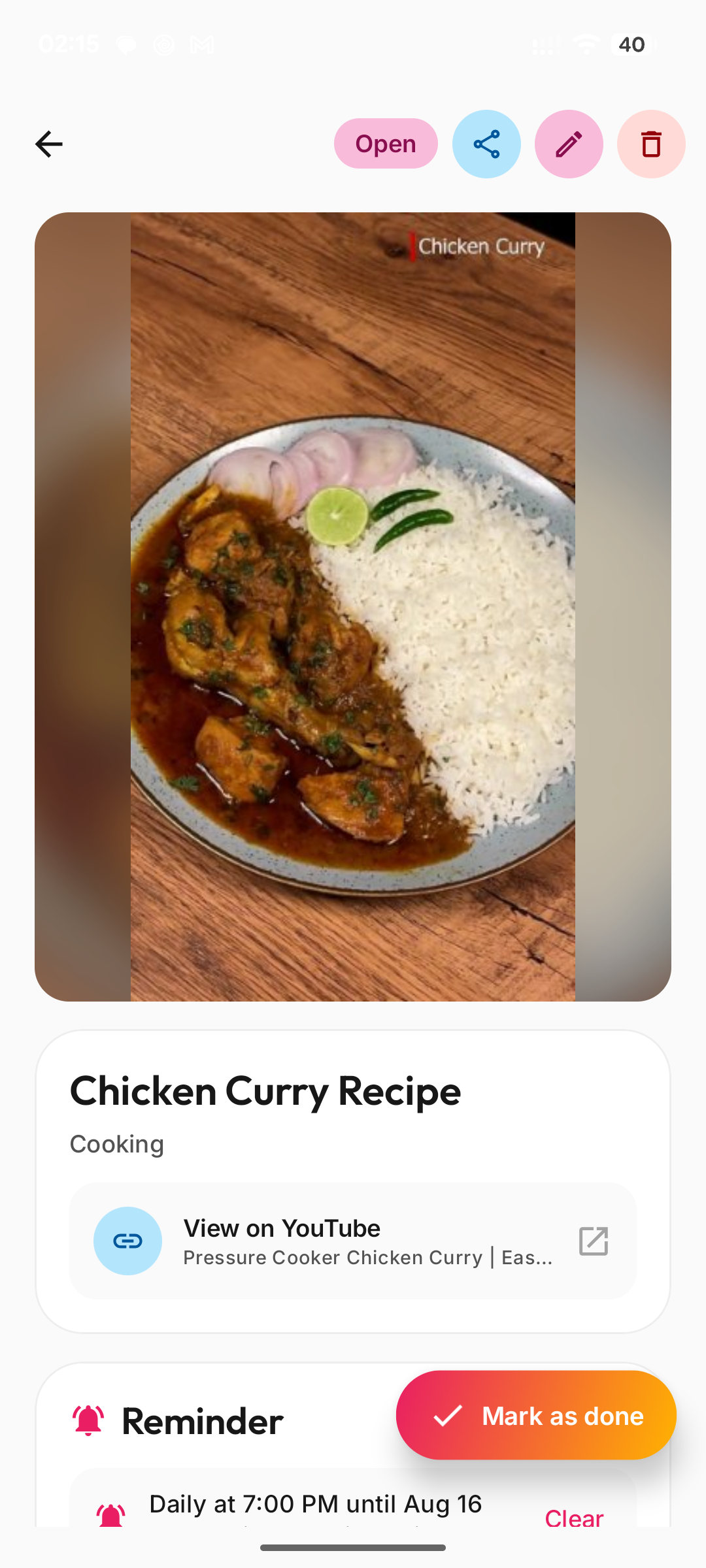
Quest detail with media, link, and reminder
05 · Inside a quest Plan, remind, and mark it done
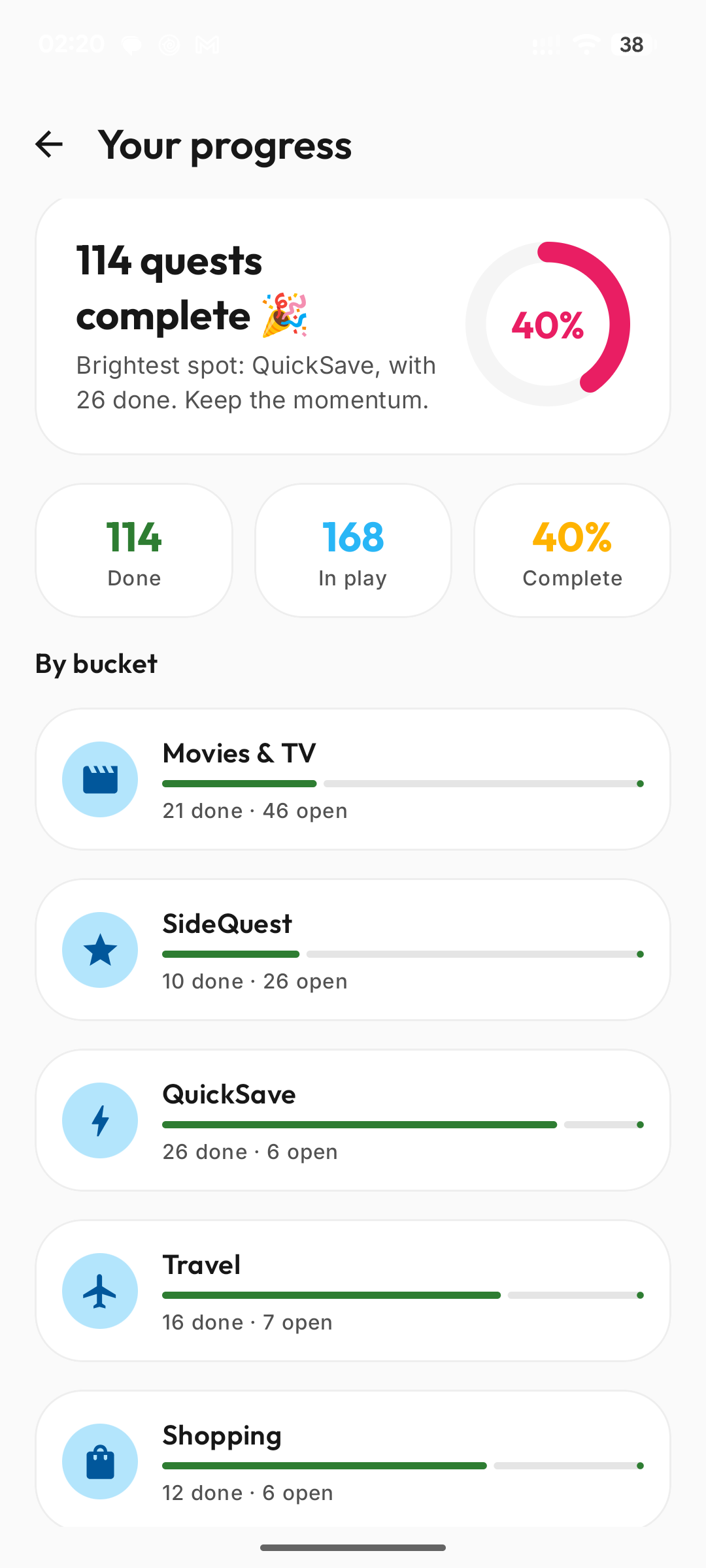
Your progress stats with completion by bucket
06 · Your progress See what’s done and still in play

Built for the things you almost forget

SideQuest is a personal planner for inspiration that shows up mid-scroll. Share something in, organize it, get a nudge, and mark it done when you actually do it.

  1. Share in

    Catch it before it disappears

    Share from Instagram, YouTube, shopping apps, your browser, or your photos. SideQuest picks up the link or media so it doesn’t stay buried in another save folder.


    Instagram YouTube Amazon Flipkart Myntra X

  2. Organize

    Sort it into buckets

    Drop each save into a bucket—travel, cooking, shopping, weekends— so related ideas live together on your shelves instead of one messy list.

  3. Finish

    Plan, remind, complete

    Name the quest, sketch a quick action plan, choose a reminder, and finish it from your Board when you’re ready. Small wins, visible progress.

Get SideQuest

Share the reel, recipe, or wishlist before Saves swallows it. SideQuest turns it into a quest you’ll actually finish.